In this mode, the connected wireless kit will try to pair with another wireless kit. The connected wireless kit becomes a Host node (or Transmitter node) and the paired wireless kit will act as a Remote node (or Receiver node).
The following are the Performance Tests that can be performed in Paired mode (or PER mode):
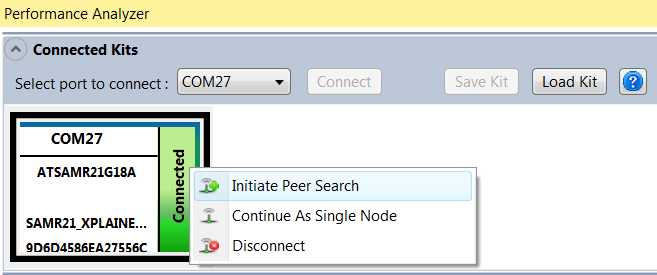
To configure the connected wireless kit in Paired mode, follow these steps:
-
Right click on the kit graphic in “Connected Kits” view to open a pop up menu.
-
Click on the menu “Initiate Peer Search” in the pop up menu.
Note:The Remote node need not be connected to the computer. Performance Analyzer communicates with the Remote node through the Host node. If one of the connected kits becomes a Remote node (because of a Pairing request), then in the “Connected Kits” view, it would become a 'paired' Remote node.