Click Button / Wheel / Slider to add corresponding sensor.
A dialog will be shown to configure the sensor
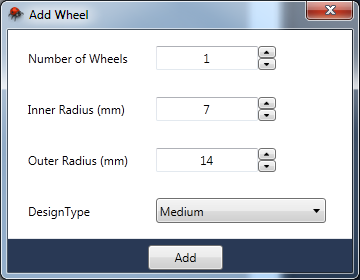
For Example: If User select Wheel then "Add Wheel" Dialog shows up
-
Number of Wheels - Total Number of Wheels the user wanted to Add
-
Inner Radius(mm) - Radius of Inner Wheel in millimeter
-
Outer Radius(mm) - Outer radius of the wheel in millimeter
-
Design Type - Type of the Wheel
User can input the inner or outer radius or select the corresponding design type which automatically set the inner and outer radius.
There are 3 kinds of design types; Small, Medium and Large