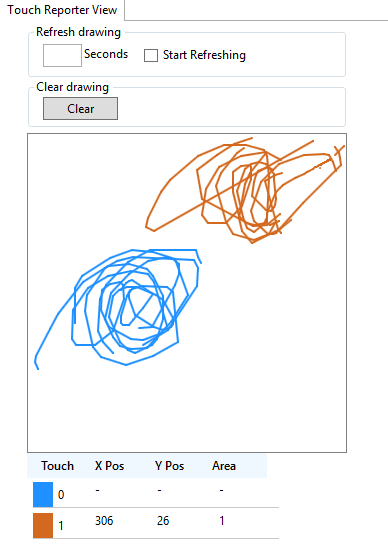
Touch reporter tracks down X, Y position co-ordinates of a moving finger on the touch surface and shows patterns drawn over the touch surface. Maximum of two touches can be viewed simultaneously using touch reporter. Touches are differentiated by colours in drawing panel (First touch is represented in dodger blue colour and second touch in chocolate brown colour) A tabular representation of touch position information is also available under drawing panel.
Clearing Drawing Panel:
Clears all the drawing in the drawing panel. Clearing can be done in two ways: 1) Right click on the drawing panel 2) Click Clear button
Refreshing Drawing Panel:
Refreshing drawing panel clears the drawing if there is no touch for given refresh interval. To enable that feature, user has to enable start refreshing and has to give the refresh interval (in seconds).