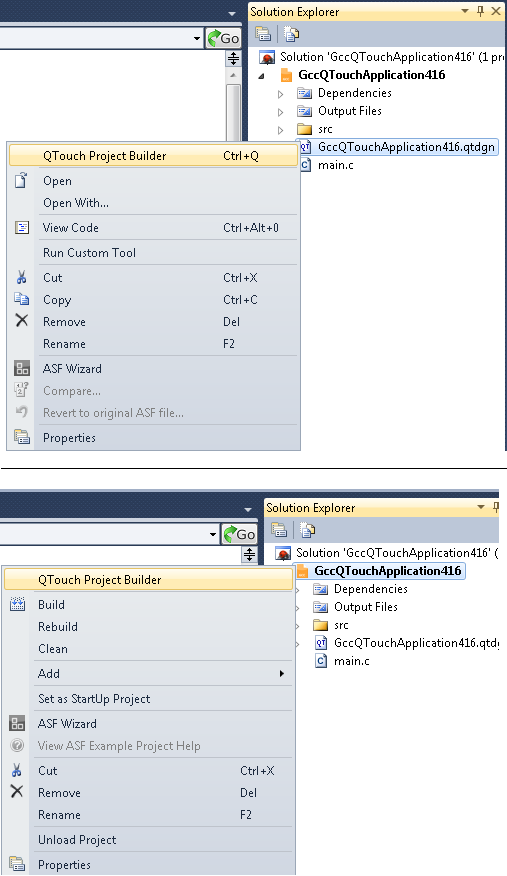
QTouch Project Builder can be invoked by any one of the following methods after project creation:
-
Double click or press Ctrl+Q on the .qtdgn file in the project.
-
Right click on the project node or .qtdgn file to open the project context menu. Select QTouch project builder in the context menu.
-
Select .qtdgn file in the solution explorer. Select QTouch Project Builder from View menu.