The configuration is accessible from Tools -> Options.. ->Extensions in Atmel Studio.
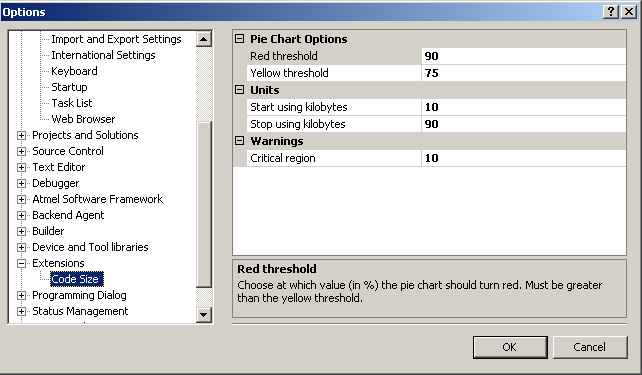
The options for the extension are:
-
Red threshold - Choose at which value (in %) the pie chart should turn red. Must be greater than the yellow threshold.
-
Yellow threshold - Choose at which value (in %) the pie chart should turn yellow. Must be less than the red threshold.
-
Start using kilobytes - Choose at which value (in %) to start using kB instead of bytes.
-
Stop using kilobytes - Choose at which value (in %) to stop using kB instead of bytes.
-
Critical region - Choose a lower limit at which the Code Size window should become visible after a build. If set to 0, the Code Size window will always pop up. Should not be set higher than 100.