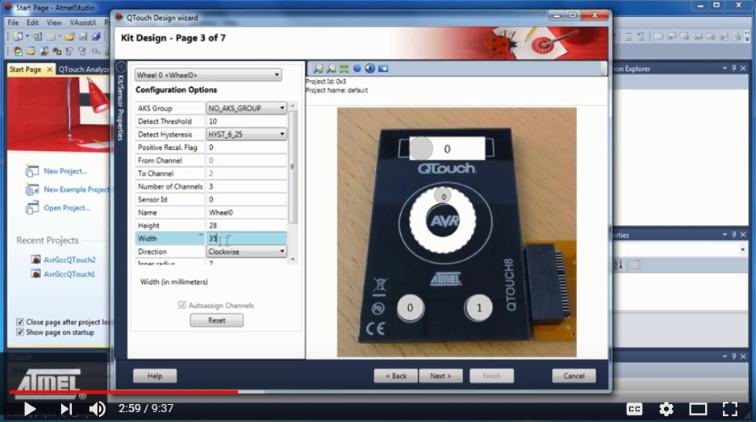
Getting Started With the QTouch Composer in Atmel Studio on YouTube.
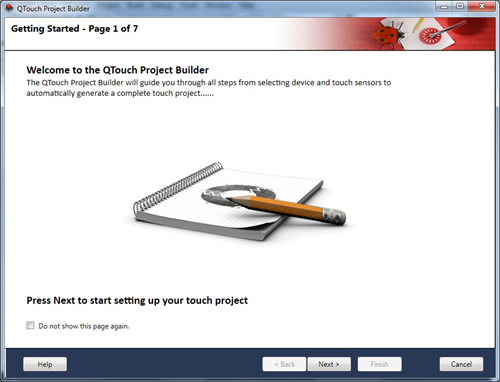
QTouch Project builder will guide you through all steps from selecting device and touch sensors to automatically generate a complete touch project.
- 1.Start Atmel Studio.
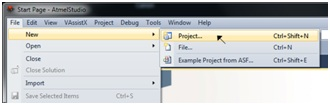
- 2.Open the File menu. Click on
'New → Project'.
- 3.The 'New Project' dialog is
opened. Select 'GCC C QTouch Executable Project' in the New Project dialog.
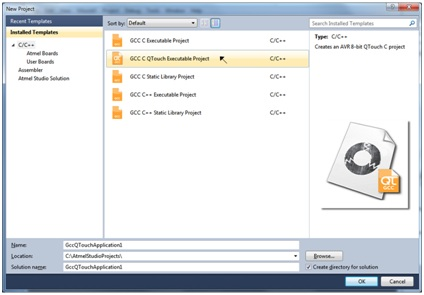
Enter the following details in the 'New Project' dialog and click the OK button.
- Name of the project
- Location of the project and solution
- Name of the solution
- 4.The 'QTouch Project Builder'
wizard is opened, which will guide you through the steps involved in creating a
project.